
Step 2: Open Payment Method Settings
To handle instant rebates correctly, you must create and use a dedicated payment method called Instant Rebate.
Go to your POS Settings menu.
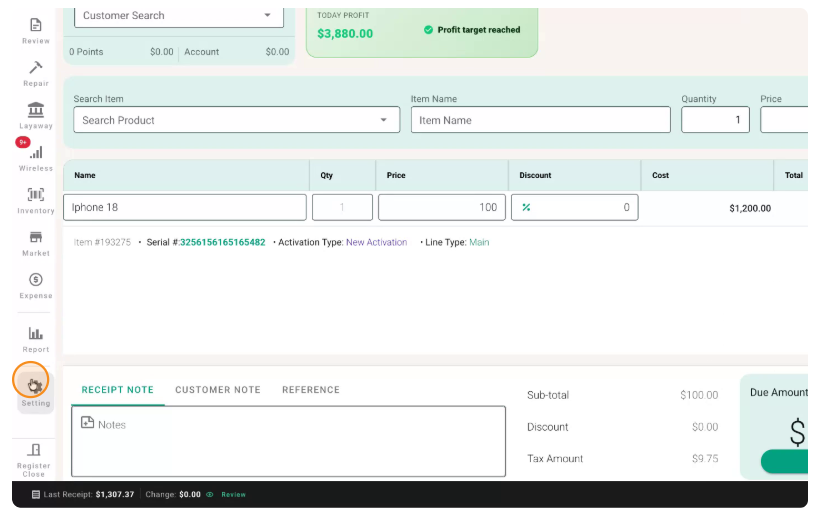
In Settings, search for Payment Method.
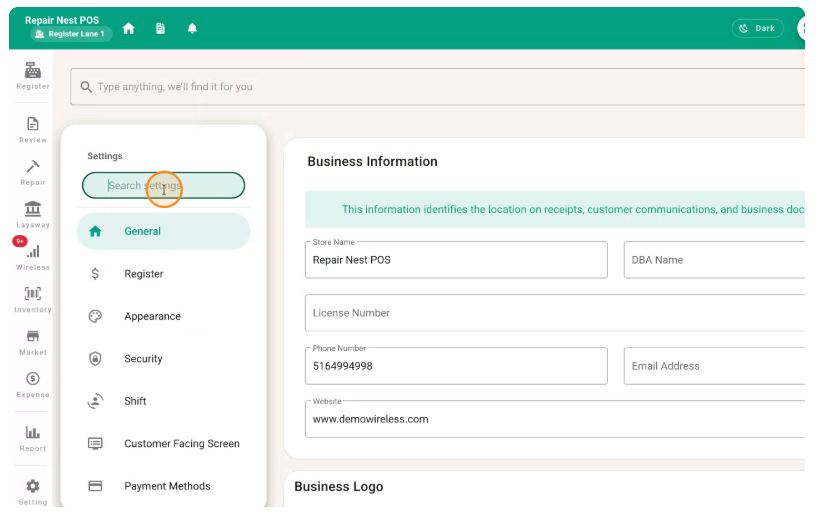
Open the Payment Method configuration section.
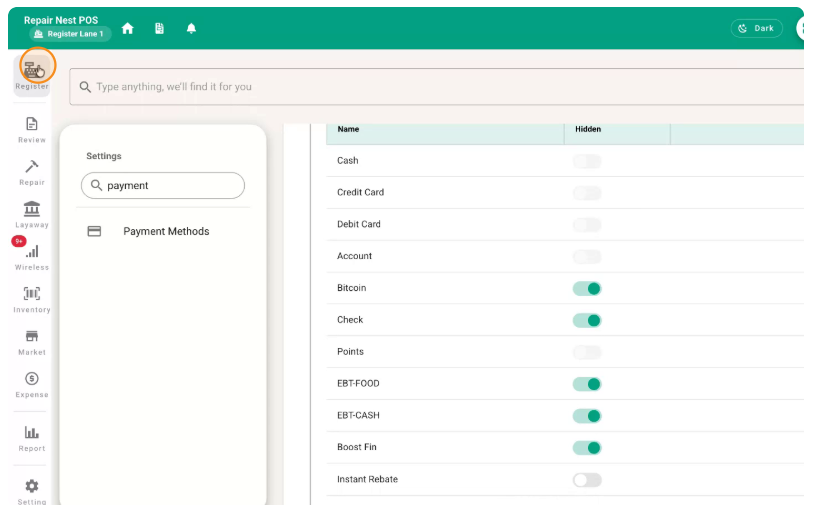
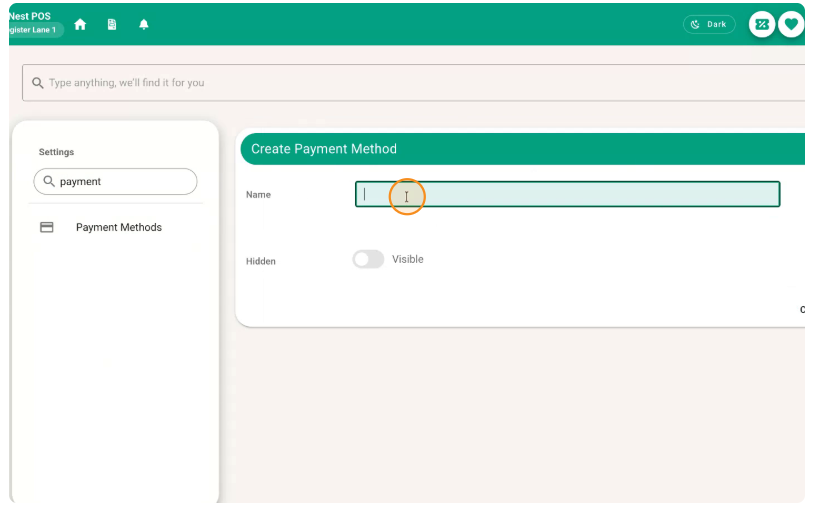
Create a new payment method.
Name this payment method Instant Rebate (or a clear equivalent).
You should now see the newly created Instant Rebate payment method listed.
Confirm that the Instant Rebate payment method is active and available for use.
No comments to display
No comments to display