
Mark a Customer as Favorite or VIP
Mark an important customer as a favorite so employees can recognize that the customer may deserve special attention.
Mark a customer as a favorite
- Open the customer profile, or find the customer from an available customer search.
- Select the heart icon.
- Confirm that the heart appears selected.
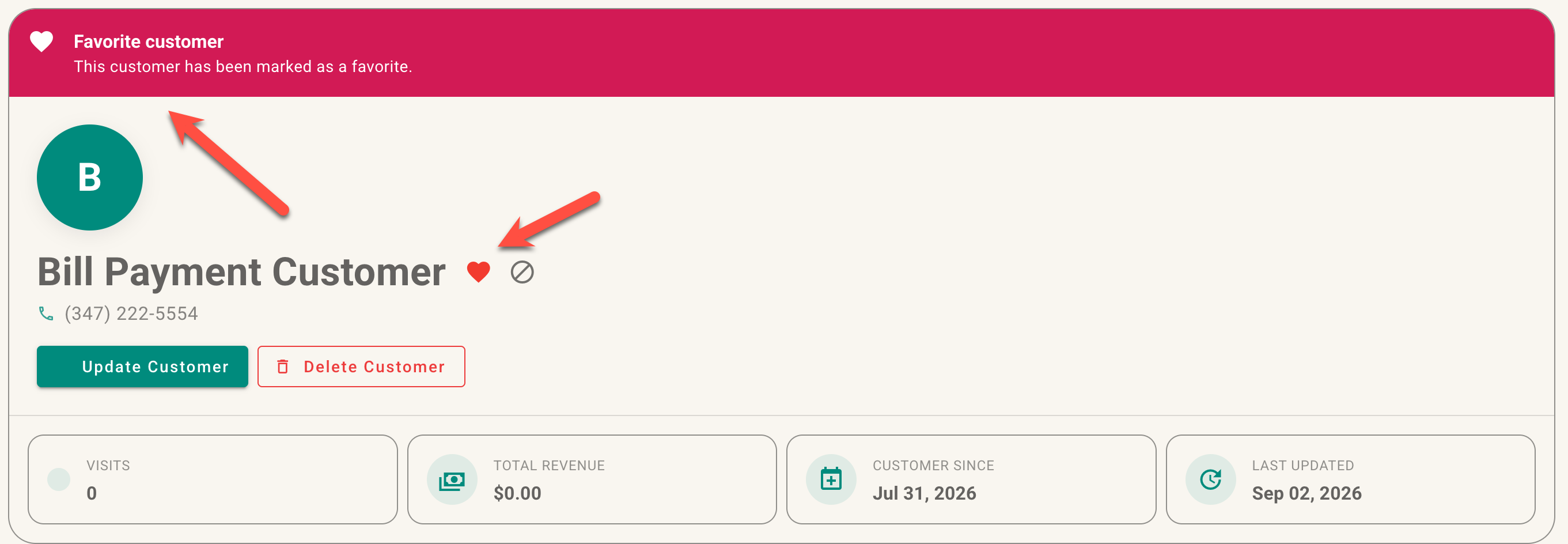
Heart icon on a customer profile before and after selection.
The favorite indicator is visible when employees encounter that customer in supported customer-search and profile views. It is an internal status and does not prevent or change sales.
Remove favorite status
Select the heart again when the customer should no longer be marked as a favorite.
No comments to display
No comments to display