Step 1: Understand the Incorrect Way of Recording the Sale
When you receive an instant rebate from a master dealer, they might say: you purchase the phone for $1,200, but you must sell it for $1,100 and let the customer pay only $100.
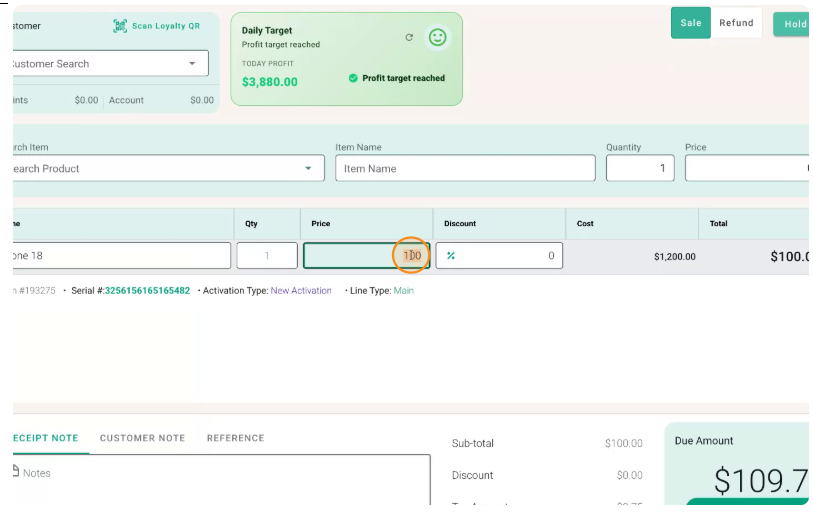
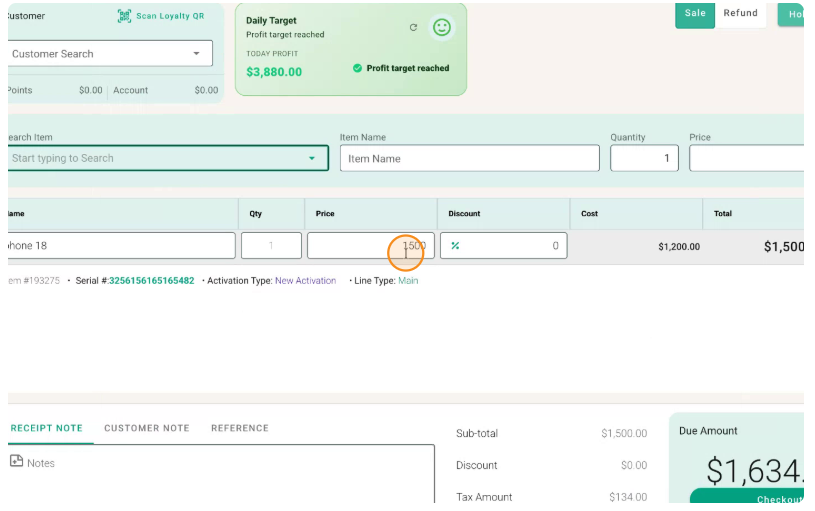
If you sell the phone directly by scanning it in the normal way and processing it as a $100 sale, your POS will record your cost as $1,200 and your sale as $100, showing a loss of $1,100 and incorrect sales tax.
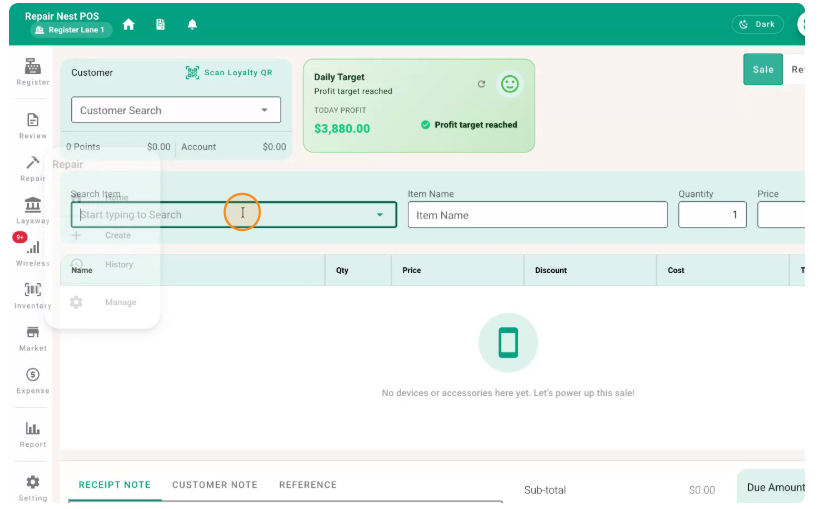
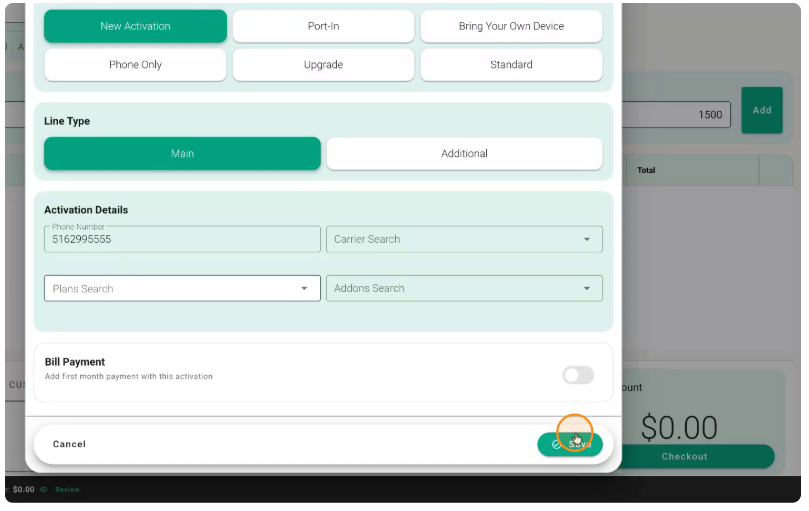
Scan the phone in the regular sales screen.
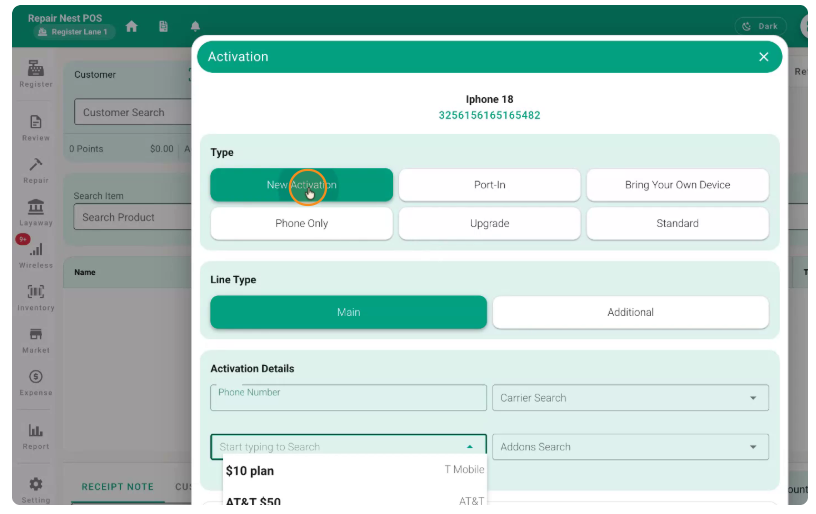
Select New Activation.
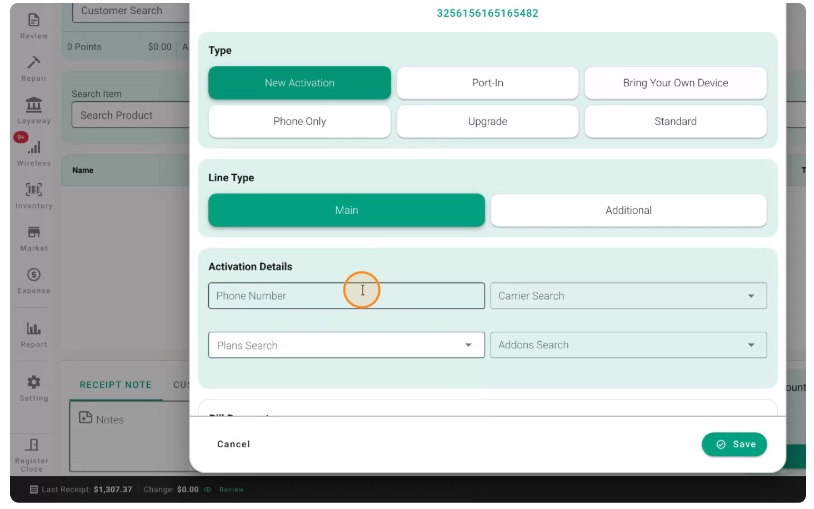
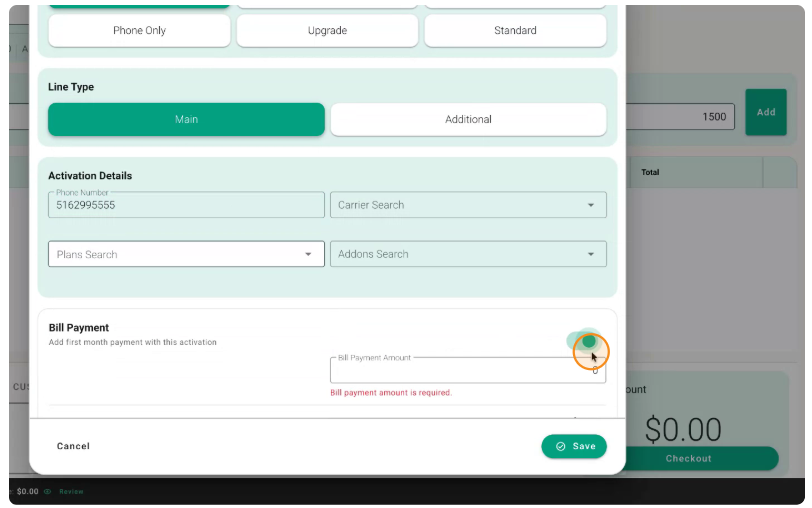
Enter the customer’s phone number in the appropriate field.
Continue the sale as usual.
If you then set the selling price here to $100:
Your cost will still be $1,200, and your sale will be $100.
This will show an $1,100 loss and will not calculate sales tax correctly. Do not use this method for instant rebate transactions.